Embeddable widgets face an architectural dilemma: isolate the widget's styles from the host page without breaking SEO or destroying performance.
Most vendors picked the easy answer years ago: iframes. Iframes isolate perfectly but slow your site down, prevent SEO indexing, and create awkward layouts.
Rated Stores uses Shadow DOM — modern browser-native isolation that delivers the isolation without the iframe trade-offs.
The Iframe Problem
When you embed an Elfsight, Common Ninja, POWR or Taggbox widget, it loads inside an iframe. This means:
- Separate document — extra HTTP requests, CSS pipeline, JS context
- Invisible to Google — iframe content isn't indexed as part of your page
- No JSON-LD rich snippets — your page's schema can't include the widget content
- Layout issues — iframe sizing is rigid, responsive design becomes hard
- Cookie/storage friction — iframe content runs in a different security context
- Performance hit — ~150KB+ overhead per iframe, multiple network round-trips
Iframes are a 1990s solution. Better options exist for 2026.
What Shadow DOM Solves
Shadow DOM is a W3C standard built into every modern browser since 2016. It provides:
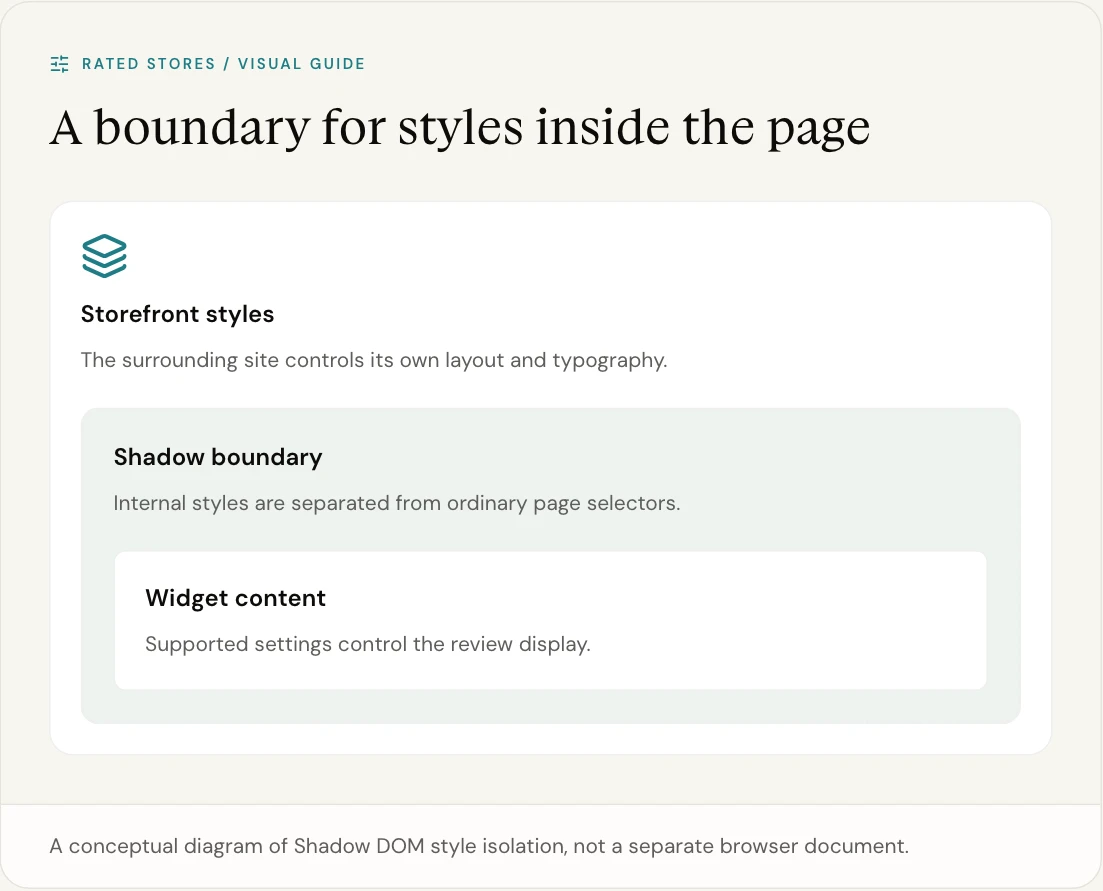
- Style encapsulation — widget CSS doesn't leak to your site, your site's CSS doesn't break the widget
- DOM isolation — widget elements don't pollute your DOM tree
- Same-origin context — widget runs as part of your page (no iframe security wall)
- Native browser API — no polyfills, no overhead, works everywhere
Rated Stores widgets create a Shadow Root per widget, inject scoped Tailwind styles, and render inside. Your site sees a single <div class="rated-stores-widget"> placeholder — the rendered widget lives inside the shadow root, fully isolated.
Performance Comparison
| Metric | Iframe-based widgets | Shadow DOM (Rated Stores) |
|---|---|---|
| Bundle size | ~150KB+ | <30KB gzipped |
| HTTP round-trips | Multiple (iframe + assets) | One bundle |
| First paint | After iframe load + render | Synchronous once data loads |
| Layout shift (CLS) | Common (iframe sizing) | Zero |
| Cross-origin overhead | Yes (separate origin) | None (same-origin) |
For ecommerce stores running on Core Web Vitals as a ranking signal, this matters.
SEO Impact
The biggest difference: Google indexes Shadow DOM content as part of your page.
When Googlebot crawls your page, the Shadow DOM content (reviews, ratings, JSON-LD) counts toward your page. Combined with our injected JSON-LD review schema, you get:
- Rich-snippet star ratings in Google search results
- Long-tail keyword coverage — every review's text is indexable content on your page
- Better topical authority — reviews count as topical content for your products
Iframe-based widgets give you none of this. The reviews exist on your site visually but don't pass SEO value.
CSS Conflict Resolution
A typical Shopify or WordPress theme has hundreds of CSS rules — * { box-sizing }, font resets, button styles, etc. Many embedded widgets break because the host theme overrides their CSS unpredictably.
Shadow DOM resolves this completely:
- Host page CSS does not penetrate the Shadow Root
- Widget CSS does not leak out
- Fonts, theme variables, button styles stay isolated
Result: the widget looks identical on Shopify, Wix, Squarespace, WordPress, Webflow, and custom HTML sites — without per-platform CSS overrides.
Browser Support
Shadow DOM v1 is supported in:
- Chrome 53+ (2016)
- Firefox 63+ (2018)
- Safari 10+ (2016)
- Edge 79+ (2020)
That's >99% of modern browsers. We don't ship polyfills — the API is native.
What This Means For You
If you're choosing a review widget today:
- Iframe widgets — older architecture, worse SEO, worse performance, harder to style
- Shadow DOM widgets — modern architecture, better SEO, faster, no CSS conflicts
Rated Stores picked the right architecture. Most competitors picked years ago and can't easily migrate without rebuilding their entire embed product.
Test It Yourself
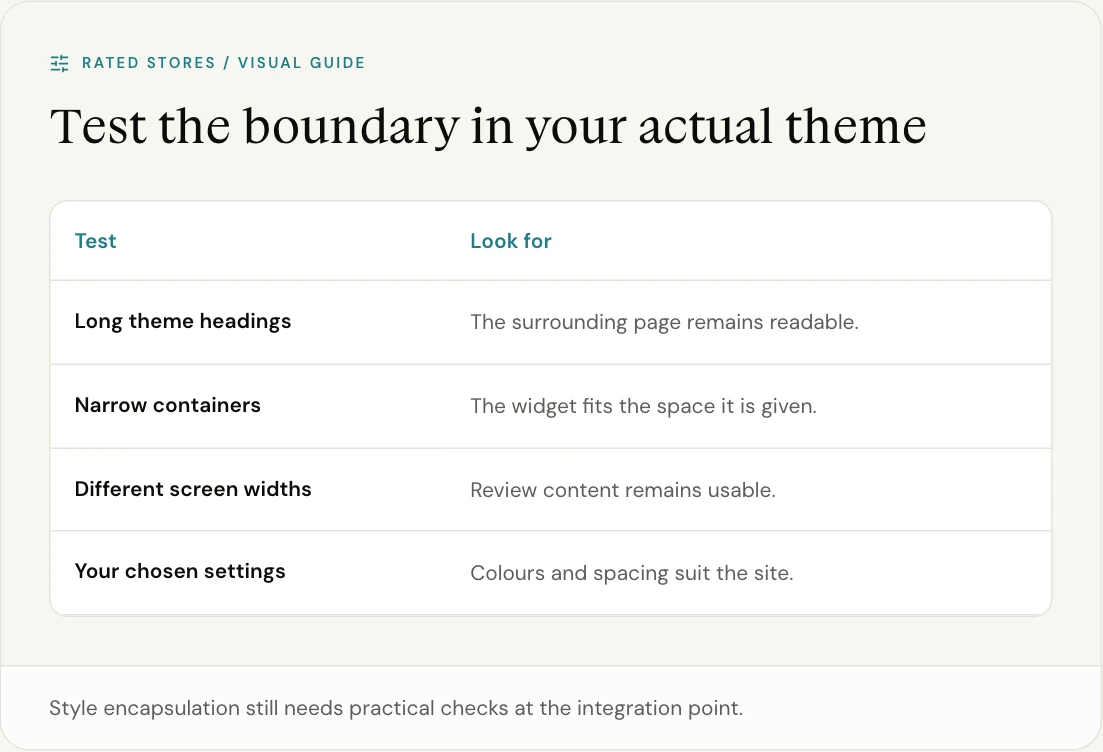
Embed a Rated Stores widget, then:
- Open browser DevTools
- Inspect the widget area
- Look for
#shadow-root (open)in the Elements tree - Note: no iframe, no cross-origin context, native page content
Compare to any iframe-based widget — instantly visible architectural difference.
Get Started
Try Rated Stores free → — see the architectural difference on your own site.
Related
- Widget Speed Comparison
- Rich Snippets Out of the Box
- Reviews Widget HTML Embed
- Best Elfsight Alternative